The Robots.txt Generator helps you build a properly formatted robots.txt file with allow and disallow rules, and includes a built-in tester to check whether any URL would be blocked from crawling before you deploy it. This is essential for controlling how search engine bots access your site.
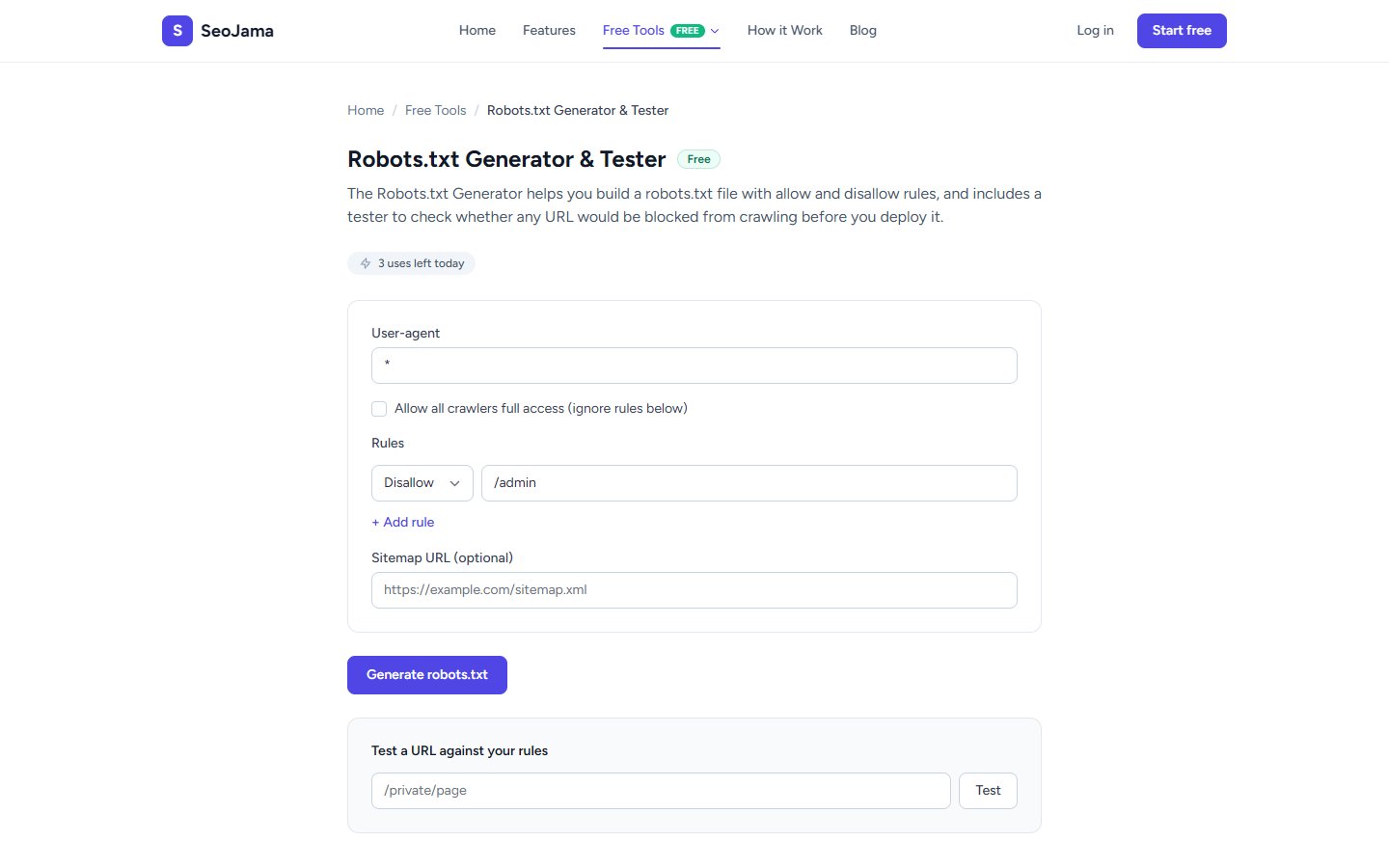
How to use it
- Open the Robots.txt Generator from the Free Tools page.
- Set the User-agent — use
*to target all crawlers, or enter a specific bot name likeGooglebot. - Add Rules by selecting Allow or Disallow from the dropdown and entering the path (e.g.,
/admin). - Click + Add rule to add more rules as needed.
- Optionally add your Sitemap URL so crawlers can find your sitemap.
- Click Generate robots.txt to produce the file content.
- Use the Test a URL against your rules section to verify that specific paths are allowed or blocked.
Understanding the results
The generated output is a properly formatted robots.txt file showing User-agent directives, Disallow/Allow rules, and an optional Sitemap reference. The URL tester below gives instant feedback — a red "Blocked" indicator means crawlers will not access the tested path, while a green "Allowed" indicator means the path is open to crawling. The tester matches URLs against your rules using the same logic search engine bots use.
Tips for best results
- Never block access to your CSS and JavaScript files — Google needs to render your pages to understand their content and rank them properly.
- Always include your sitemap URL in the robots.txt file so search engines can discover and crawl all your important pages.
- Use the tester to double-check edge cases before deploying — a misplaced rule like
Disallow: /will block your entire site from being indexed. - If you need different rules for different bots, create separate User-agent sections by refreshing and generating multiple blocks.