The Schema Markup Generator creates valid JSON-LD structured data for your web pages, helping search engines and AI answer engines understand your content. Whether you're marking up a blog post, a product page, or your local business listing, this tool produces copy-paste-ready code in seconds.
How to use it
- Open the Schema Markup Generator from the Free Tools page.
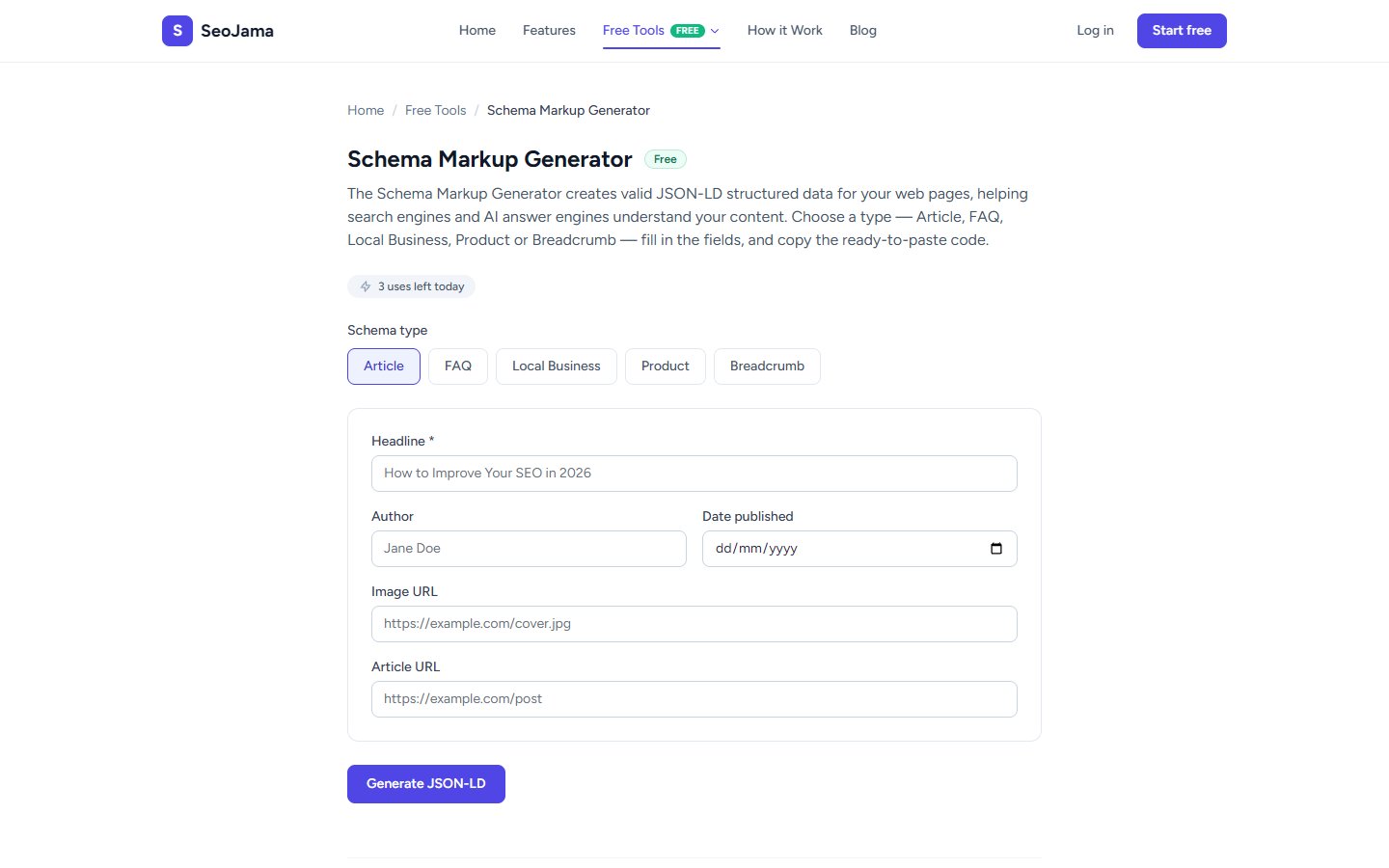
- Select a schema type from the tabs at the top: Article, FAQ, Local Business, Product, or Breadcrumb.
- Fill in the required fields for your chosen type. For Article, this includes Headline, Author, Date Published, Image URL, and Article URL.
- Click Generate JSON-LD.
- Copy the generated code block and paste it inside the
<head>section of your HTML page.
Understanding the results
The tool outputs a complete <script type="application/ld+json"> block containing your structured data. The JSON-LD follows Schema.org vocabulary and includes the @context and @type properties that search engines require. Each field you fill in maps directly to a schema property — for example, the Headline field becomes the headline property in the Article schema. The mainEntityOfPage property is automatically generated from your Article URL.
Tips for best results
- Always fill in as many fields as possible — richer schema markup gives search engines more context and can lead to enhanced rich snippets in search results.
- Use the FAQ schema type to create FAQ rich results, which can significantly increase your SERP real estate and click-through rate.
- After pasting the code into your page, validate it with Google's Rich Results Test to make sure everything is correctly structured.
- For Local Business schema, include accurate NAP (Name, Address, Phone) information that matches your Google Business Profile exactly.